Digital Accessibility Projects:
Resource, Training, and Onboarding Hub
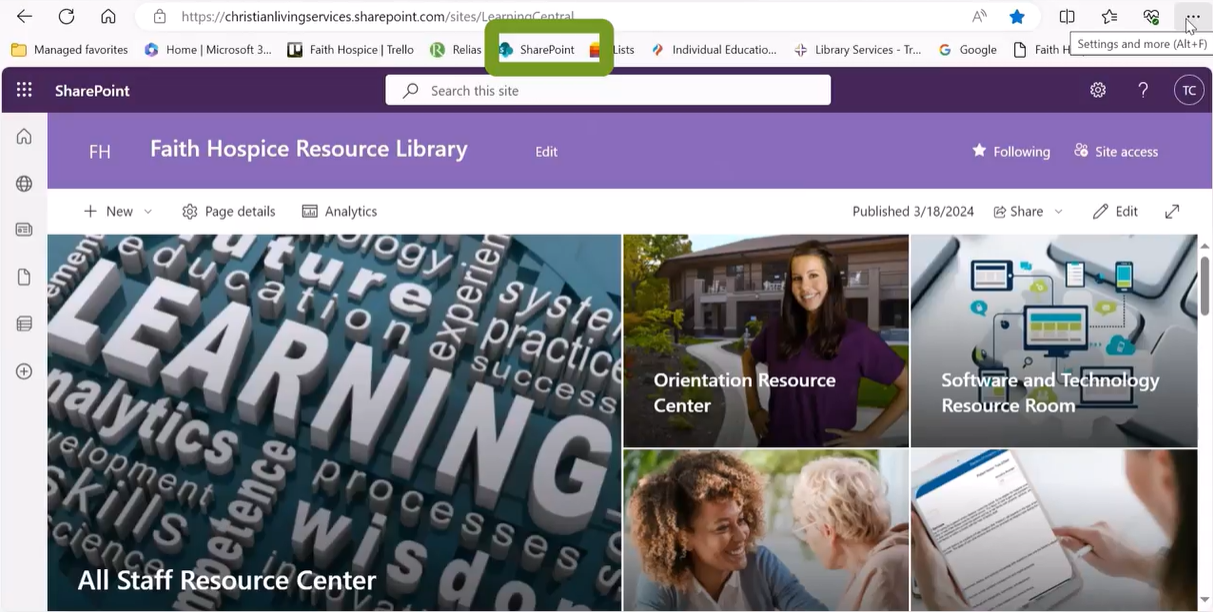
What is a Resource Center?
The Faith Hospice Resource Center is a digital resource library. This project was created in response to the ongoing issue regarding digital accessibility of resources for staff. There were three issues that needed a solution:
Staff needed a stable and consistent digital platform that allowed immediate access while in the field.
Administration needed a stable and consistent method for updating resources in one place that afforded immediate communication.
Administrations and preceptors needed a digital platform that included digital completion of checklists and onboarding resources for trainees.
The solution included a Digital Library. Think of the Resource Center like a building. Each room in the center is topical and includes all the resources related to specific professional areas. For example, when the site is opened, there are images and titles that cue the staff member to what the content is such as All Staff Resource Center. When a staff member clicks on this image, they are immediately taken to a new page that includes additional “rooms”/sites that contain the resources that they are looking for. The nurses have their own resource library. Aides have their own resource library. Social Workers have their own resource library, etc.
In addition, there is an Orientation Resource Center. When a new employee clicks on the Orientation Resource Center, they are directed to a new page. On this new page, they will see a listing of “Hubs”. They can find their individual “Hub”, and when they click on their Hub, they are directed to their personal page that includes onboarding resources, orientation checklists, and a planning calendar for the orientation team.
Each text resource in the Resource Center is linked to the Teams resource. This allows for updating to be easy and consistent. When a document is updated in Teams, it is also updated in the Resource Center. Videos are uploaded or linked from Teams. Checklists are linked from the Lists app. All resources are connected across Microsoft products to ensure easier manipulation for updating and consistent and stable accessibility for staff.
The videos to the right are samples of explainer videos of the resource center. There are more videos that can be viewed upon request. Also, additional discussion explaining this created platform, training toward usage, and overall process is welcomed.
Click on the video above to watch this sample explainer video that introduces the Resource Center.
Click on the image above to watch this sample explainer video.
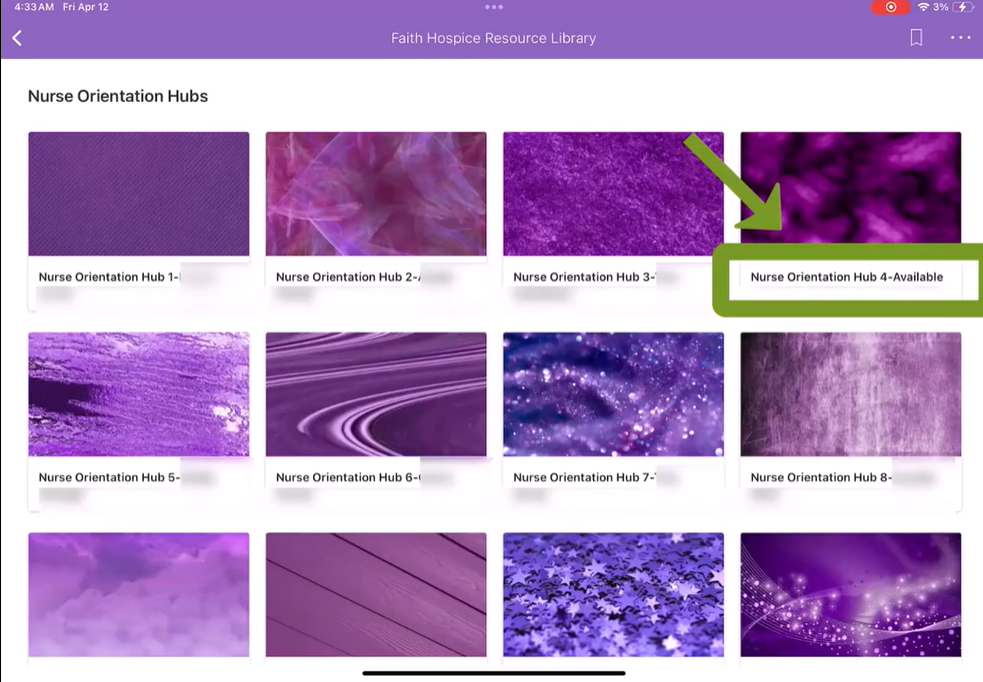
Click on the image above to watch this sample explainer video.